"I would really recommend working with Proxify when you're building a product, whether that's building a completely new team or scaling an existing one. Proxify has all the right talents for it."


Europe's largest vetted tech talent network
Stop wasting time and money on bad hires and focus on building great products. We match you with the top 1% of BigQuery freelance developers, consultants, engineers, programmers and experts in days, not months.
ISO 27001
Certified

Proxify helps companies hire vetted BigQuery developers quickly and with less risk. We have matched tech professionals with startups and global enterprises such as Lufthansa, PwC, and Education First, among others. Only around 1% of applicants join our network, and 94% of introduced candidates are successfully matched.
Every BigQuery developer completes five vetting stages, including AI-powered screening, English and technical assessments, a soft skills interview, and a live technical interview with senior engineers.
After a 25-minute discovery call, you receive a hand-picked shortlist of BigQuery developers within an average of 2 days. There is no commitment until you approve a match, no long-term lock-in, and the option to move the developer to your own payroll.
Hire fast with Proxify
The ultimate hiring guide: find and hire a top BigQuery Expert

Data Scientist
Emil is an accomplished Data Scientist and PhD.C. with four years of experience in the IT sector, mainly working on Machine Learning, Research, Statistics, and Data Tools.
Expert in

Data Engineer
Gopal is a Data Engineer with over eight years of experience in regulated sectors like automotive, technology, and energy. He excels in GCP, Azure, AWS, and Snowflake, with expertise in full life cycle development, data modeling, database architecture, and performance optimization.
Expert in

Data Engineer
Marley is a Data Engineer with over seven years of commercial experience. He has extensive experience in Python, Apache Spark, SQL and cloud technologies such as AWS and GCP.
Expert in

Data Architect
Sergio is an experienced Data Architect with over a decade of expertise in designing and delivering enterprise-grade data solutions. He specializes in SQL, data governance, and data quality, with a strong track record of implementing scalable data architecture frameworks that support business intelligence and compliance.
Expert in

Data Engineer
Moaz is a highly skilled Data Engineer with an extensive background spanning five years of valuable experience.
Expert in

Data Scientist
Samuel is a skilled Data and Business Intelligence professional with five years of experience spanning the telecom, consulting, and life sciences sectors. Holding a PhD in Statistics, he combines advanced modeling expertise with practical industry experience, effectively bridging the gap between complex analytics and actionable business insights.
Expert in

Data Engineer
Alper is a Data Engineer with 20 years of experience, including expertise in SQL Server, Oracle, and cloud data solutions. For the past 5 years, he has specialized as an AWS Data Engineer, utilizing Python, AWS Glue, PySpark, and SQLMesh to design and optimize efficient data pipelines.
Expert in

Data Engineer
Mehmet is a skilled Data Engineer with five years of experience in Turkey's finance, telecommunications, and e-commerce sectors.
Expert in

Business Intelligence Developer
Andrés is a Business Intelligence Developer with over seven years of commercial experience, specializing in SQL, Tableau, Looker, and advanced data modeling. His strong technical foundation in Airflow, GCP, and Python makes him a valuable contributor to complex BI initiatives.
Expert in
Data Scientist
Emil is an accomplished Data Scientist and PhD.C. with four years of experience in the IT sector, mainly working on Machine Learning, Research, Statistics, and Data Tools.
Expert in
The ultimate hiring guide: find and hire a top BigQuery Expert
We combine the best of AI-technology and our team’s deep expertise to deliver hand-picked talent in just a few days.
Get started in just three simple steps.
1

Share your unique context with us over a 25-minute call, so we can match you with the perfect candidates for your needs.
2
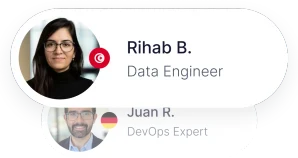
After an average of 2 days, receive a selection of hand-picked, ready-to-work specialists, with direct access to booking a call to interview them.
3
Integrate your new team members in 2 weeks or less. We’ll handle HR and admin, so you don’t lose momentum.
Hire top-tier, vetted talent. Fast.


"I would really recommend working with Proxify when you're building a product, whether that's building a completely new team or scaling an existing one. Proxify has all the right talents for it."


"We can trust Proxify to select good engineers that can help us speed up the process."


"The candidates coming in from Proxify are top-notch individuals."
Skip the resume pile. Our network represents the elite 1% of BigQuery developers worldwide, across 1,000+ tech competencies, with an average of eight years of experience—meticulously vetted and instantly available.

"Quality is at the core of what we do. Our in-depth assessment process ensures that only the top 1% of developers join the Proxify network, so our clients always get the best talent available."
Stoyan Merdzhanov
VP Assessment

Rafael Weiss
Client Engineer


 +40
+40 Takes the time to thoroughly understand your technical challenges. With their expertise, you get the best-fit professionals, ready to solve your toughest challenges on your roadmap, fast.

Matthew Moroni
Client Manager US
Your long-term partner, offering personal support in onboarding, HR and admin to manage your Proxify developers.
Google BigQuery is a powerful cloud-based data warehouse built by Google. It allows users to store, manage, and analyze large amounts of data quickly and efficiently. BigQuery is part of Google Cloud Platform (GCP) and is known for its speed, scalability, and ability to handle petabytes of data.
BigQuery uses SQL (Structured Query Language), so if your team already works with SQL, it will be easy to get started. Unlike traditional databases, BigQuery is serverless. This means you don’t need to manage infrastructure or worry about hardware. Google takes care of all the back-end management.
Some of BigQuery’s key features include:
BigQuery separates storage from compute, which means you can scale them independently. This makes it easier to manage costs and handle workloads that change in size. Additionally, BigQuery supports federated queries, which allow you to query data stored in other systems like Google Sheets or Cloud SQL, without having to move the data first.
BigQuery also comes with built-in security features, such as encryption at rest and in transit, IAM roles, and audit logging. This makes it suitable for organizations that need to follow strict compliance standards like HIPAA or GDPR.
Many industries use BigQuery to gain insights from their data. Here are some common applications by industry:
BigQuery is flexible, making it useful for both real-time data analysis and long-term data storage.
When hiring a BigQuery developer, certain skills are essential to ensure they can handle your data needs. These are the core skills to look for:
BigQuery is a SQL-based tool. Developers must know how to write and optimize complex SQL queries.
They should understand how to use BigQuery alongside other GCP tools like Cloud Storage, Dataflow, and Pub/Sub.
Good developers should know how to design data structures that support efficient queries and storage.
Experience in building pipelines to extract, transform, and load data into BigQuery is important.
Developers should be able to optimize queries and manage costs by understanding BigQuery's pricing model and partitioning strategies.
Candidates should know how BigQuery executes queries: distributed processing, slot allocation, job queues, and execution stages. This is crucial for performance tuning.
Add expectation to use Cloud Monitoring, Logging, and Audit Logs to track BigQuery jobs and diagnose performance issues.
In addition to the must-have skills, there are other skills that can add value to your team:
BigQuery ML
Experience with BigQuery ML to build machine learning models directly inside BigQuery.
Python or JavaScript
Programming languages like Python or JavaScript help when writing custom scripts or using BigQuery with APIs.
Infrastructure-as-code
Terraform or Deployment Manager are also nice-to-have skills to manage datasets, scheduled queries, IAM policies, and resources as code.
Visualization tools
Familiarity with Looker, Data Studio, or Tableau for creating dashboards and reports.
Data governance and security
Understanding of data security, access controls, and GDPR compliance.
Git and DevOps tools
Experience using version control and CI/CD tools for managing code and workflows.
Here are some sample questions to help you evaluate BigQuery developers:
Q1: What is the difference between partitioned and clustered tables in BigQuery?
Answer: Partitioned tables are divided based on a column, like a date. This reduces the amount of data scanned during queries. Clustered tables organize data within partitions based on one or more columns to speed up query performance.
Q2: How do you optimize a BigQuery query that is running slowly?
Answer: I check if the table is partitioned and clustered properly. I also look for unnecessary columns being selected and apply filters early. Using EXPLAIN helps to analyze the query execution plan.
Q3: Describe a situation where you built an ETL pipeline for BigQuery.
Answer:**** In my last role, I used Cloud Dataflow to process raw logs, transform them into a clean format, and load them into BigQuery daily. I used scheduled queries for further transformation inside BigQuery.
Q4: What are BigQuery's pricing models?****
Answer: There are two main pricing models: on-demand and flat-rate. On-demand charges per query based on data scanned, while flat-rate offers a fixed monthly cost for reserved capacity.
Q5: How do you control user access in BigQuery?
Answer: I use IAM roles to assign the right permissions. For example, data analysts get viewer or query access, while engineers have editor or admin roles.
Q6: Can you explain federated queries in BigQuery?
Answer: Federated queries allow you to query data in external sources like Google Cloud Storage, Google Sheets, or Cloud SQL directly from BigQuery. This is useful when you want to analyze data without importing it into BigQuery.
Q7: How do you manage costs in BigQuery?
Answer: I manage costs by selecting only needed columns, using filters, partitioning and clustering tables properly, and avoiding SELECT *. I also monitor usage with the GCP billing dashboard and set budget alerts.
Q8: What are some limitations of BigQuery?
Answer: Some limitations include lack of full transaction support, quotas on the number of jobs per day, and slower performance for small queries compared to traditional databases. It’s optimized for big data, not small frequent updates.
Q9: How do you ensure data quality in BigQuery pipelines?
Answer: I use validation rules, row counts, and sample checks during ETL. I also use monitoring tools and error logging to detect issues early.
Q10: How do you schedule jobs in BigQuery?****
Answer: I use scheduled queries or external tools like Cloud Composer (based on Apache Airflow) to automate query execution and data workflows.
Even experienced developers can make mistakes when working with BigQuery. Being aware of these common pitfalls can help your team avoid unnecessary costs and performance issues:
Running queries with SELECT * may seem convenient, but it often results in scanning more data than necessary, which increases costs and slows down performance. In addition, using deeply nested SELECT statements or excessive WITH clauses—especially when they generate large intermediate result sets—can compound these issues. These patterns can make queries harder to optimize, consume more memory, and lead to slower execution times. Always aim to select only the necessary columns and streamline query logic to minimize overhead.
Not using partitioned or clustered tables can lead to full table scans. Always consider how your data will be queried and apply appropriate partitioning strategies.
Failing to validate or clean data before loading into BigQuery can cause issues in downstream analysis and reporting. Implement checks for data quality early in the pipeline.
BigQuery charges based on the amount of data processed. Developers should monitor query usage and avoid unnecessary joins or complex subqueries that process large volumes.
In large teams, inconsistent naming conventions, undocumented datasets, and ad hoc query logic can create confusion. Enforce standards and maintain clear documentation.
Manually running queries is error-prone. Use scheduled queries or orchestration tools like Cloud Composer to automate and track your data workflows.
It’s important to grant the least privilege necessary using IAM roles. Over-permissioned access can lead to accidental data deletion or exposure.
Successfully hiring a BigQuery developer is only the beginning. A well-planned onboarding process ensures they become productive and integrated with your team quickly. Here are a few practical tips:
Ensure the developer has access to BigQuery, GCP services, documentation, and internal knowledge bases. Set up accounts and permissions early to avoid delays.
Help them understand your existing data architecture, including naming conventions, schemas, and business logic. This speeds up their learning curve and prevents confusion.
Pair the new hire with an experienced team member who can answer questions, review code, and help them get familiar with workflows and expectations.
Assign small, well-scoped tasks first. This builds confidence and allows them to understand your data ecosystem before taking on bigger responsibilities.
Make sure the developer understands how their work fits into the larger goals of the business. Knowing what KPIs or decisions their data supports leads to better outcomes.
Ask new developers to document what they learn. This not only reinforces their understanding but also improves onboarding for future hires.
Define what success looks like in the first 30, 60, and 90 days. Use regular check-ins to give feedback and adjust goals.
BigQuery is a powerful tool for businesses that need fast and scalable data analysis. Hiring a skilled BigQuery developer can help you unlock the full potential of your data. Look for strong SQL skills, GCP experience, and a good understanding of data modeling and ETL pipelines. While advanced features like BigQuery ML or data visualization are not mandatory, they can bring extra value.
Use this guide to identify the right skills, ask the right interview questions, and build a strong team capable of turning raw data into business insights. With the right developer, you can make smarter decisions and gain real value from your data.
Hiring a BigQuery developers?
Hand-picked BigQuery experts with proven track records, trusted by global companies.
We work exclusively with top-tier professionals. Our writers and reviewers are carefully vetted industry experts from the Proxify network who ensure every piece of content is precise, relevant, and rooted in deep expertise.

Ahmed Mahmoud
Senior Data Engineer
Ahmed is a Data Engineer with eight years of commercial experience, specializing in developing and deploying scalable Machine Learning algorithms and ETL jobs. He has extensive experience with Google Cloud and Terraform, creating robust and efficient solutions for processing large datasets.


Trusted by 2,500 global companies